HTC Vive
Import the Vive to the Package Manager
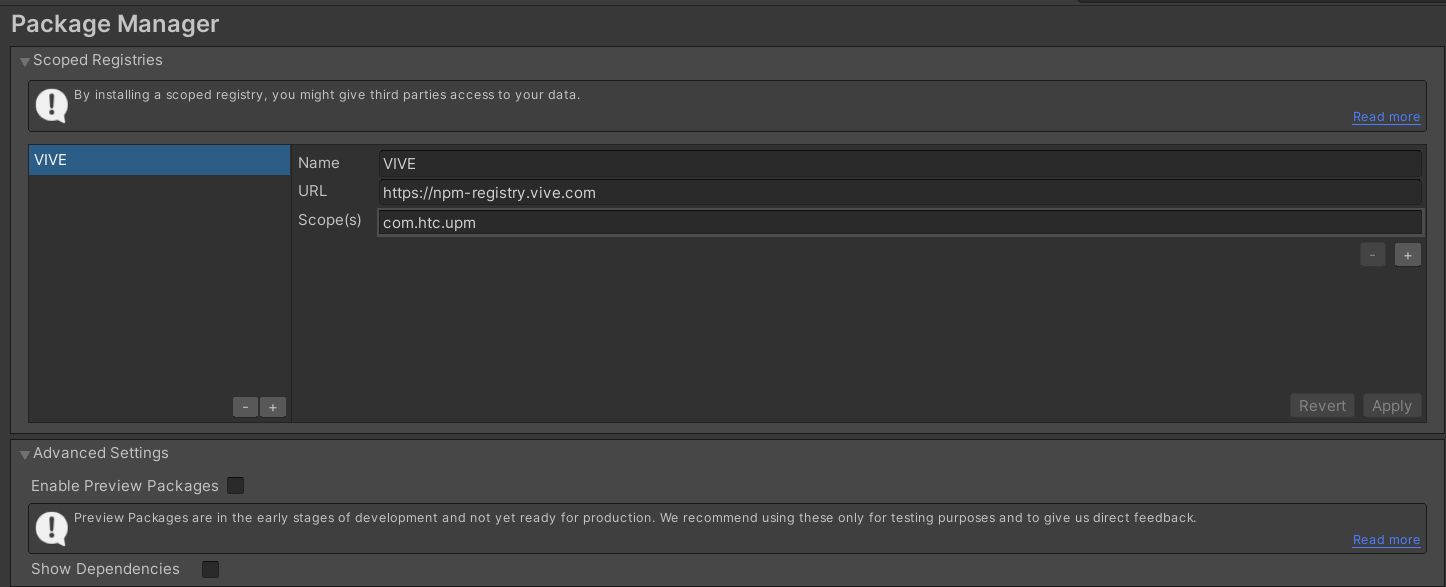
In the project settings add Vive to Package Manager.
-
Name: Vive
-
Scope: com.htc.upm
Install the Vive Essence Package
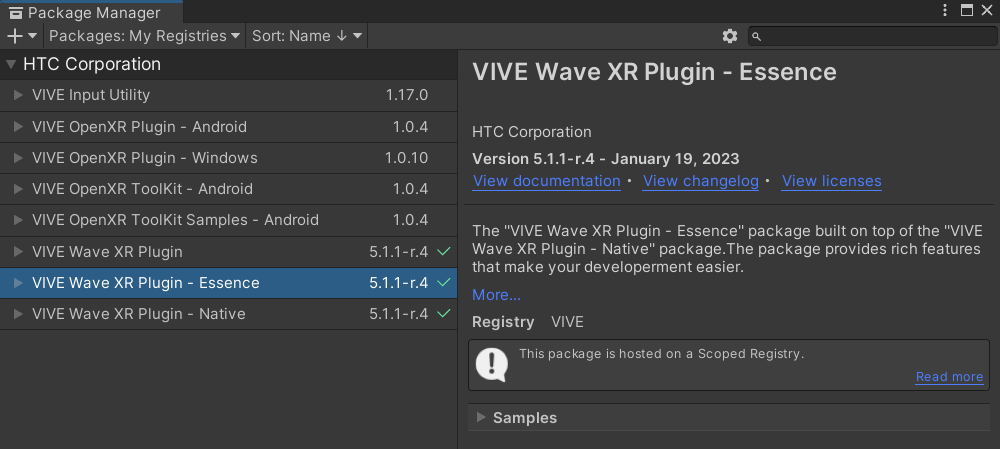
Open Window -> Package Manager and install "Vive Wave XR Plugin - Essence".
It will install the necessary dependencies
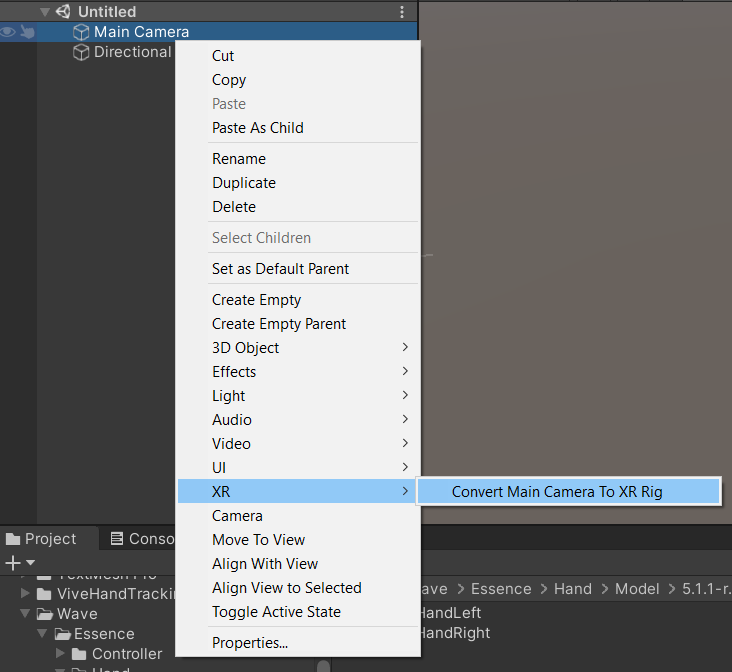
Select the main camera object and convert it to XR-Rig
Right-click the main camera and select XR -> Convert Main Camera To XR Rig
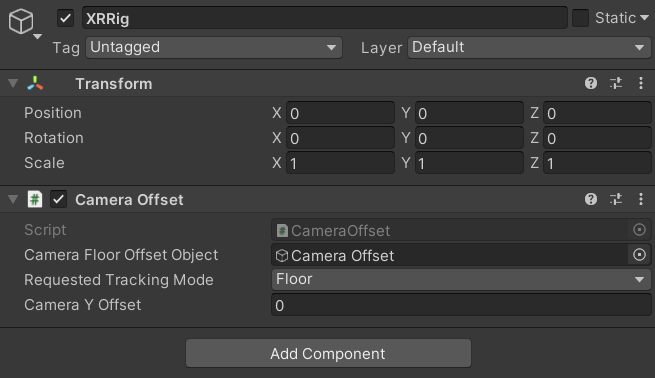
Reset the XR-rig transform and set tracking to Floor
Reset the XR-rig transform. Place zero in the offset. And, set "Tracking Mode" to "Floor".
Enable Wave-XR in player settings
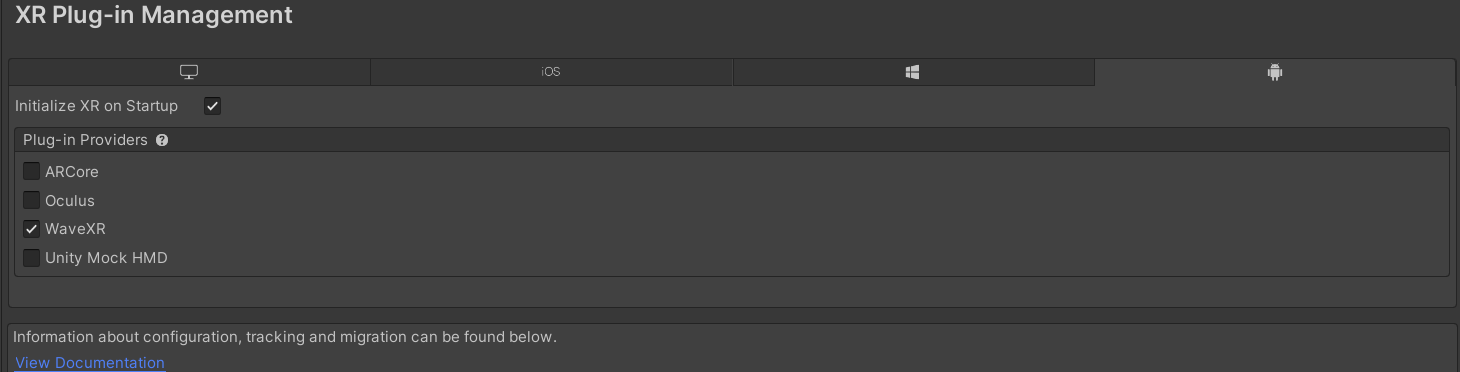
In player settings, under XR Plugin Management on the Android Tab, choose WaveXR.
Enable Natural Hand in Wave XR Settings
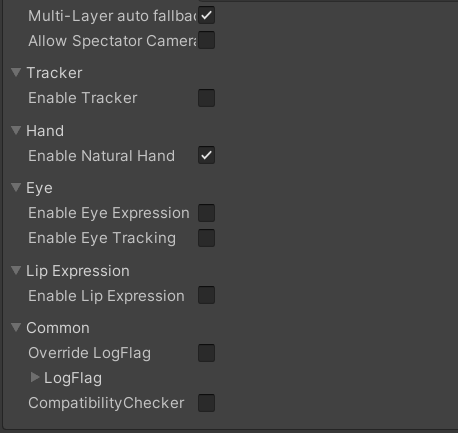
In the player setting, under WaveXRSettings, enable the "Enable Natural Hand" checkbox.
Add the hand manager to the scene
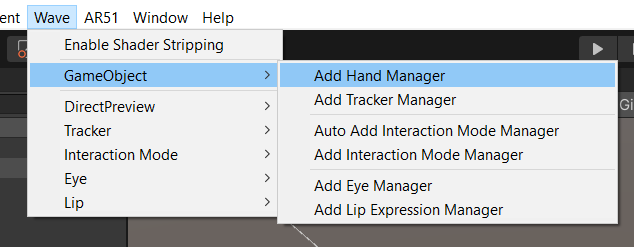
From the wave menu, select GameObject -> "Add hand manager to the scene"
Drag AR 51 prefab into the scene
From Assets/AR51.Unity.SDK/Prefabs drag the AR51.Unity.SDK prefab into the scene.
Select the platform and hand-provider
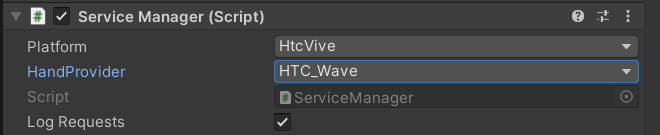
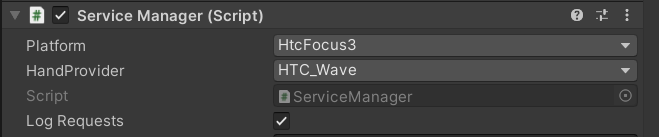
In the "Service Manager" component (under the newly created ar-51 object), set the platform and Hand Provider.
Choose HTC Focus 3 (or HTC Vive if you are using a tethered headset such as the Vive-Pro).
Choose HTC_Wave under HandProvider.
Set the world pivot
The system automatically maps the coordinate system of every quest to a common coordinate system.
This enables a shared experience where multiple players share the same world.
In order for the players to experience the same place, every object that the player can interact with needs to be mapped as well.
Create a new Game Object and add the "World Anchor Constraint" component.
Place all game objects that the player interacts with as child objects of this new object.
Build and deploy the app to the HTC device
Build the project and deploy it on your devices.