Unity SDK — Markerless Mocap for Unity
The AR 51 Unity SDK connects a Unity project to the AR 51 system to receive live skeleton and object-tracking data, drive humanoid characters in real time, and build desktop, VR, and interactive motion-capture experiences. This page covers installing the plugin and configuring the connection; the rest of this section covers adding characters, VR platforms, object detection, and the service API.
After completing this guide, your Unity project will be connected to a running AR 51 service and ready to receive live skeleton and object-tracking streams.
Install
There are two ways to install the SDK — pick one per project (don't mix them).
Before you start
- Unity 2022.3 LTS or newer.
- Keep the project folder path short — on Windows a long path can exceed the 260-character limit, so keep the project near the drive root.
- For the Package Manager route, you'll need Git installed on your machine.
Option A — Unity Package Manager (recommended)
Add the SDK by git URL so it stays versioned and easy to update.
- In Unity, open Window ▸ Package Manager.
- Click + ▸ Add package from git URL….
- Paste the Core package URL and add it — Unity UI is pulled in automatically as a dependency.
- Add any platform integration packages you need (Meta Quest, OpenXR, HTC Vive, HoloLens 2, Ultraleap). Add only the ones for your target hardware; each depends on Core.
- To update later, change the version tag at the end of the URL.
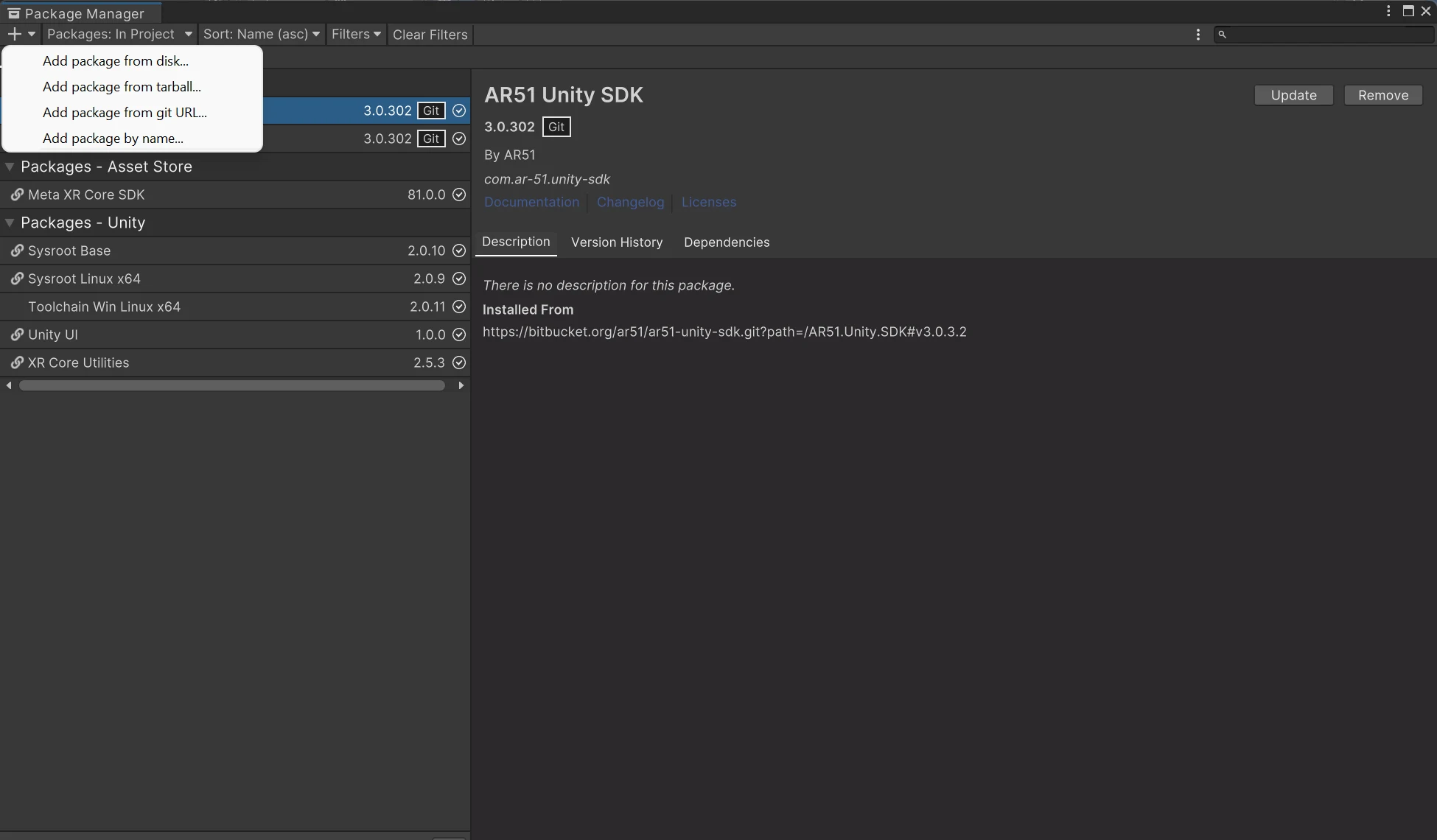
Click + and choose "Add package from git URL…" (third item), then paste a URL below.
Core (always required — add this first):
https://bitbucket.org/ar51/ar51-unity-sdk.git?path=/AR51.Unity.SDK#v3.0.3.2
Platform packages — add only the one(s) for your device; each depends on Core:
| Device | Package git URL |
|---|---|
| Meta Quest (Meta XR) | https://bitbucket.org/ar51/ar51-unity-sdk-integrations.git?path=Packages/com.ar-51.unity-sdk.oculus#v3.0.3.3 |
| OpenXR | https://bitbucket.org/ar51/ar51-unity-sdk-integrations.git?path=Packages/com.ar-51.unity-sdk.openxr#v3.0.3.2 |
| HTC Vive | https://bitbucket.org/ar51/ar51-unity-sdk-integrations.git?path=Packages/com.ar-51.unity-sdk.htcvive#v3.0.3.2 |
| HoloLens 2 | https://bitbucket.org/ar51/ar51-unity-sdk-integrations.git?path=Packages/com.ar-51.unity-sdk.hololens2#v3.0.3.2 |
| Ultraleap hand tracking | https://bitbucket.org/ar51/ar51-unity-sdk-integrations.git?path=Packages/com.ar-51.unity-sdk.ultraleap#v3.0.3.2 |
Each platform package automatically brings in its vendor SDK (for example the Meta XR SDK for Quest, or Ultraleap tracking for the Ultraleap package). To update later, change the tag in the URL (or in Packages/manifest.json). The Meta Quest package is at #v3.0.3.3; the others are at #v3.0.3.2.
From Meta Quest package 3.0.303, hand-tracking diagnostics are off by default. To turn them on while debugging, set OVRHandsAdapter.DebugWristLogging = true;.
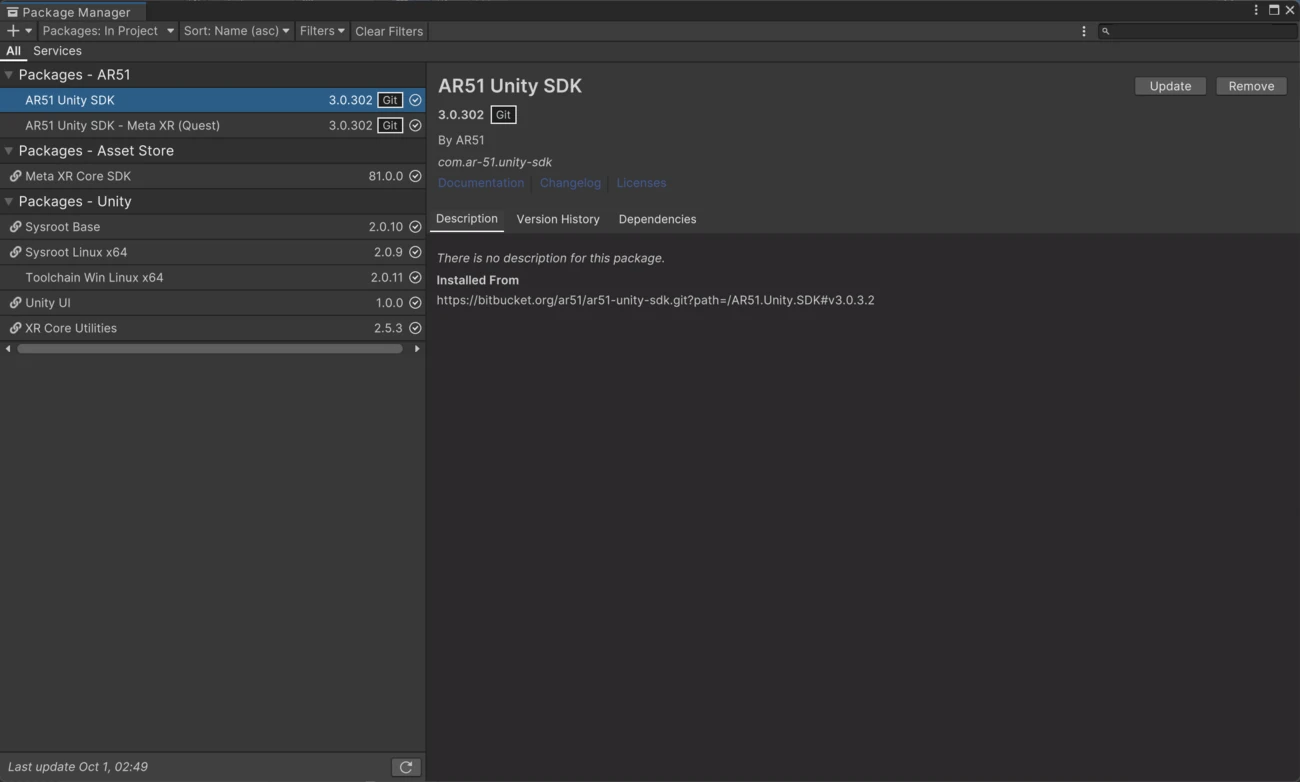
Core plus a platform package, installed from their git URLs in Unity's Package Manager.
Option B — Download the .unitypackage
- Download the latest AR 51 Unity SDK from the Downloads page.
- In Unity, choose Assets ▸ Import Package ▸ Custom Package… and select the downloaded file.
- Everything ships in one package; choose your target platform with the Platform setting on the Service Manager component.
Unity UI is declared as a dependency, so Unity installs it automatically when you import the package.
AR 51 Unity SDK Helper GPT
Need help writing Unity C# code with the AR 51 SDK or debugging your setup?
Open the AR 51 Unity SDK Helper GPT View starter prompts
The helper can assist with Unity setup, character setup, confirmed SDK APIs, service connection, object detection, controller input, and troubleshooting.