Headset Calibration Tips for the Wearer
With the headset on, the AR 51 avatar lines up with your body automatically — no button, no poses. Here's how to get a clean alignment.
Steps
- Put on the headset.
- Step into the capture area, where the cameras can see you.
- Stand still for a second, looking straight ahead.
- Walk a few normal steps.
Done — it stays aligned while you move. After a headset recenter it lines up again on its own.
Do's and don'ts
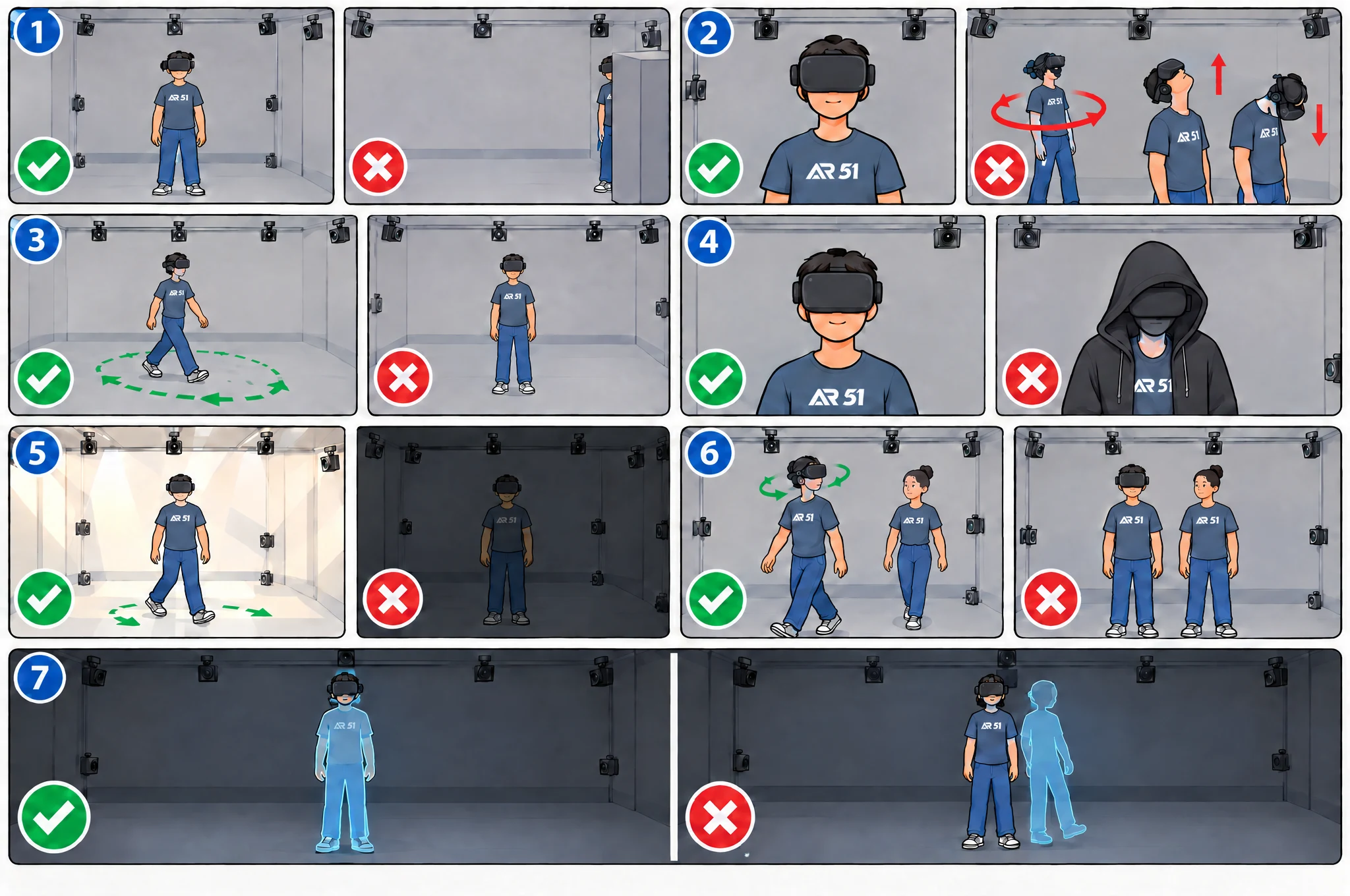
Good technique (✅) and the common mistakes to avoid (❌).
Do
- Stand inside the capture area, fully visible to the cameras.
- At the start, stand still for a second and look straight ahead.
- Walk a few relaxed steps in different directions — a little movement makes it precise.
- Keep your head uncovered and visible to the cameras.
- Use a well-lit room so the headset tracks reliably.
- If other people are present, walk and turn your head a little so the system knows which person is you.
Don't
- Stand at the edge, behind an object, or half out of view.
- Spin around or look at the floor or ceiling right at the start.
- Stand frozen in one spot — it needs a little movement to lock in.
- Wear a hood or big hat that hides your head from the cameras.
- Work in a dark room, or with a headset that keeps losing tracking.
- Stand still side by side with another person at the start — the system can't tell which one is wearing the headset.
Check it worked
- Good: look down — your avatar's body and feet are right under you. When you walk it stays with you, and small corrections are smooth.
- Needs a fix: the avatar is shifted, rotated or floating, or the room keeps slowly turning. Fix: stand still for a second looking ahead, then walk a few steps.
More fixes on the Troubleshooting page.
Was this page helpful?