Install Headset Calibration (Unity SDK)
Add AR 51 Headset Calibration to a Unity project with Package Manager (recommended) or a .unitypackage — or try it first with the ready-made demo app.
Requirements
- Unity 2022.3 or newer, with Android Build Support for Quest standalone.
- Git and Git LFS installed on the computer.
- Quest Link needs nothing extra on Windows.
The package is covered by a proprietary license (© AR 51 LTD): use it with the AR 51 system in your own applications. Package Manager's Licenses link shows it too.
Package Manager (recommended)
In Unity, open Window ▸ Package Manager ▸ + ▸ Add package from git URL…
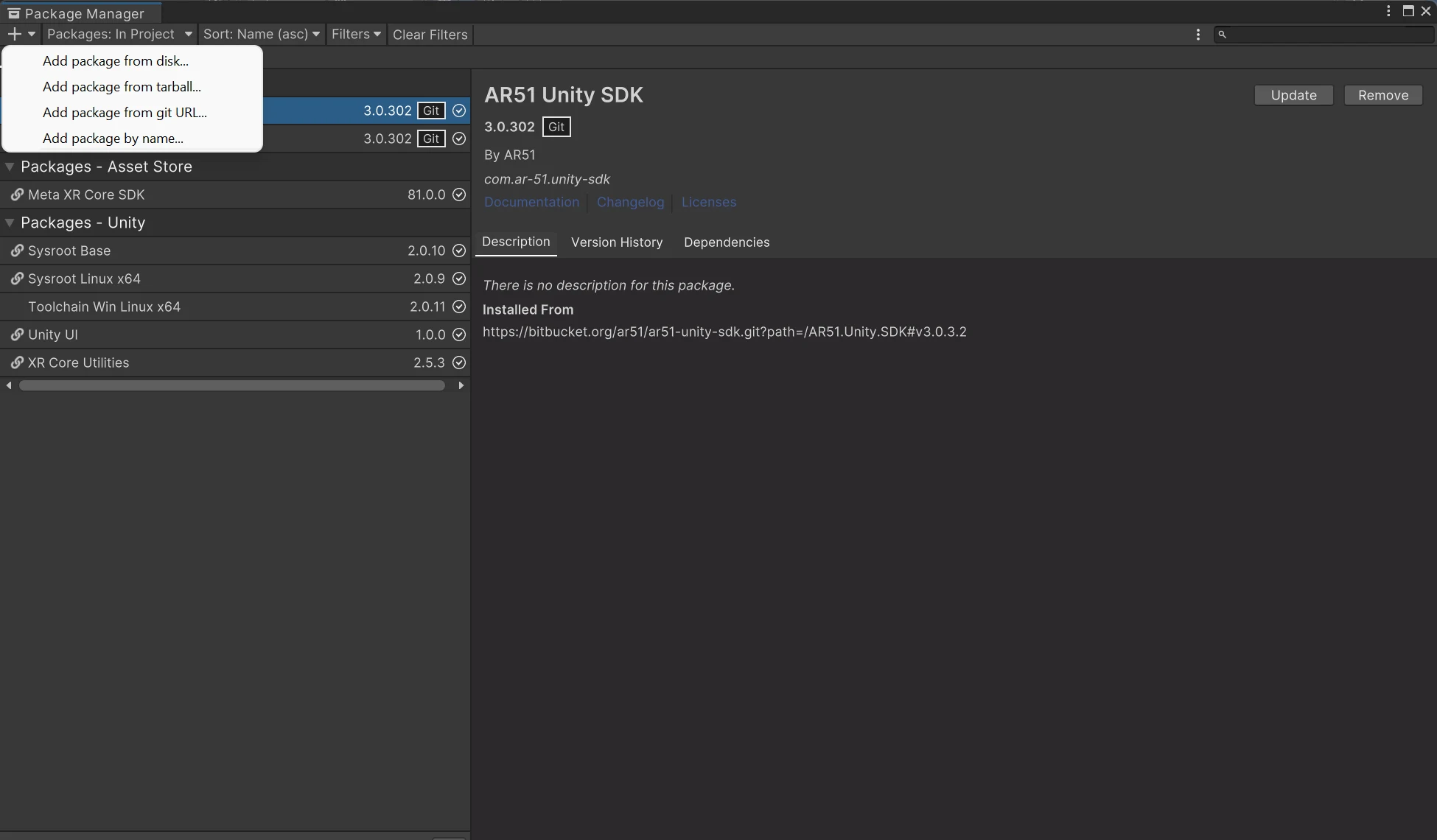
Add these three URLs, in this order:
https://bitbucket.org/ar51/ar51-unity-sdk.git?path=/AR51.Unity.SDK#v3.0.3.2
https://bitbucket.org/ar51/ar51-unity-sdk-integrations.git?path=Packages/com.ar-51.unity-sdk.oculus#v3.0.3.3
https://bitbucket.org/ar51/ar51-unity-headset-calibration.git?path=/AR51.Unity.SDK.HeadsetCalibration#v3.0.3.3
Unity doesn't install packages from git links on its own, so the AR 51 SDK and its Meta Quest package must be added first. The Meta XR SDK and Unity UI are installed automatically.
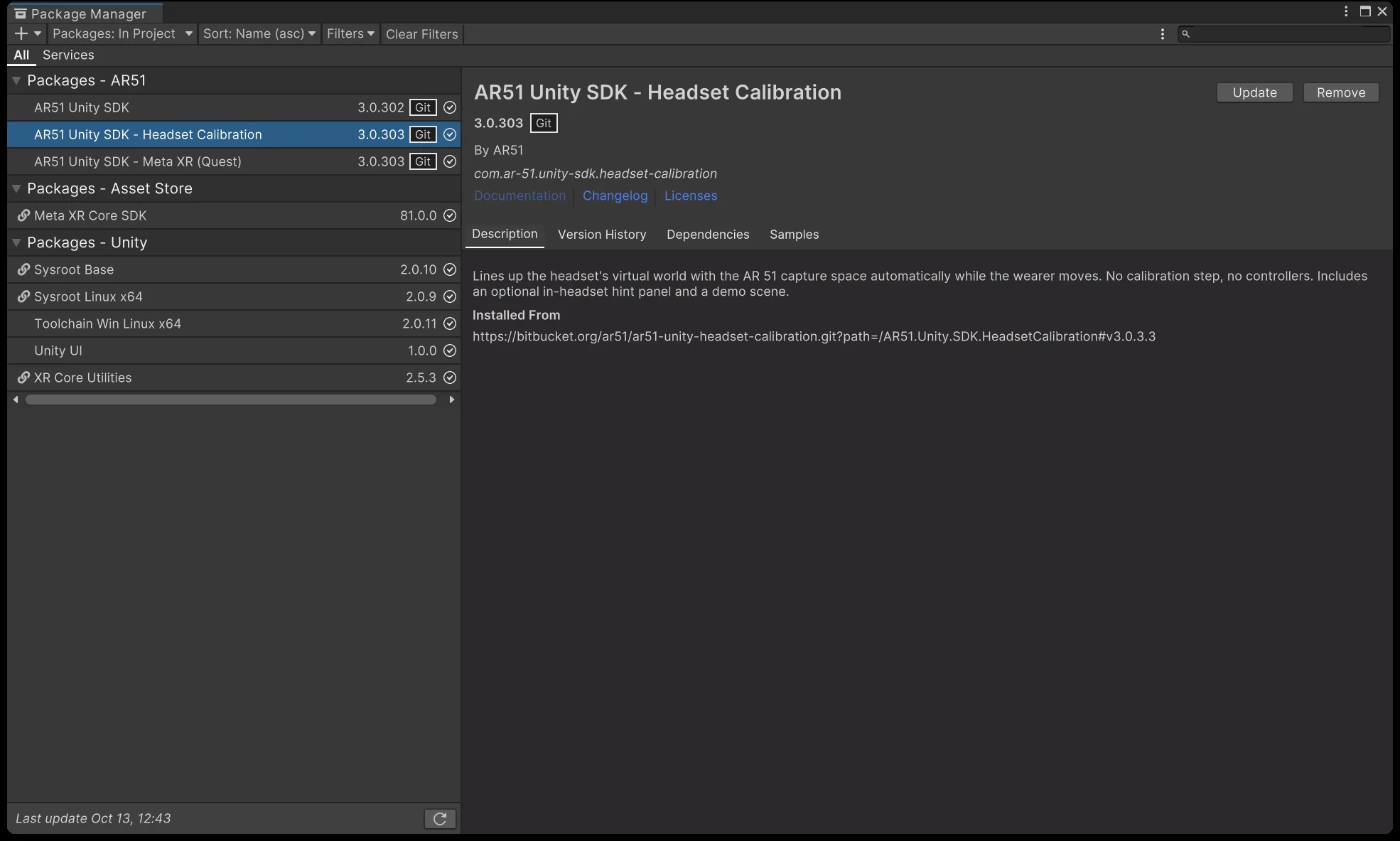
When it's done, Package Manager lists AR51 Unity SDK, AR51 Unity SDK - Meta XR (Quest) and AR51 Unity SDK - Headset Calibration — the SDK at version 3.0.302, the Meta XR and calibration packages at 3.0.303. Select the calibration package to see the git URL it was installed from and its Samples tab, which has the Calibration Demo scene.
Try the demo scene
The package includes a ready scene you can run in about 2 minutes: the Meta camera rig, the AR 51 SDK, the Headset Calibrator with its hint panel, a floor grid to judge the alignment, and two small example scripts.
-
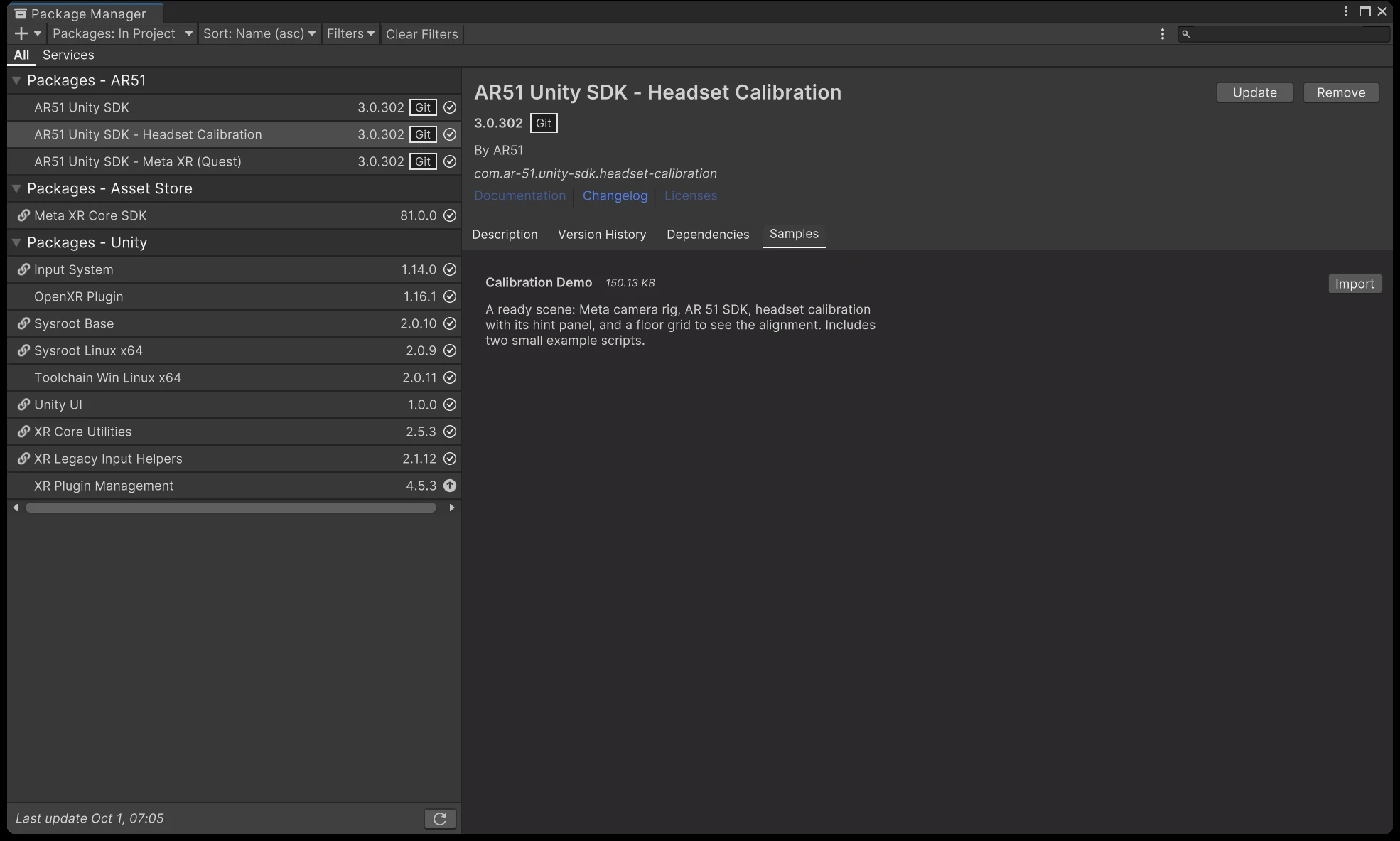
In Window ▸ Package Manager, select AR51 Unity SDK - Headset Calibration, open the Samples tab, and press Import next to Calibration Demo.
-
Open the scene:
Assets/Samples/AR51 Unity SDK - Headset Calibration/3.0.303/Calibration Demo/CalibrationDemo.unity. -
Select the AR51.Unity.SDK object and set Service Manager ▸ Platform: OvrTethered for Quest Link, OculusQuest for a standalone build. If the inspector lists project checks, press Fix on each.
-
Quest Link: press Play. Standalone: File ▸ Build Settings ▸ Android ▸ Switch Platform ▸ Build And Run — the project needs the XR and player settings from Build it yourself, steps 3–4.
-
Put the headset on, stand in the capture area, and walk a few steps.
On the Examples object, tick Passthrough. Over Quest Link, passthrough must also be enabled in the Meta Quest Link app's developer settings.
The sample also contains link.xml, which standalone builds need — see Build it yourself, step 5.
.unitypackage (alternative)
- Download AR51.Unity.SDK.HeadsetCalibration (3.0.3.3R).unitypackage from the download page.
- Open a project that already has the AR 51 Unity SDK 3.0.3.2 and the Meta XR Core SDK.
- Import it with Assets ▸ Import Package ▸ Custom Package…
Try it without Unity
The download page has a ready-to-run demo app:
- Windows (Quest Link): unzip AR51.HeadsetCalibration.Demo.Windows (3.0.3.2R).zip, connect the headset with Quest Link, and run
AR51HeadsetCalibrationDemo.exe. - Quest standalone: install AR51.HeadsetCalibration.Demo.Quest (3.0.3.2R).apk on the headset. Installing an APK needs the headset in developer mode — for example with Meta Quest Developer Hub or
adb install.
Both demos find the AR 51 system automatically on your network. Put the headset on and follow the tips for the wearer.
Next
Build it yourself — a working scene from an empty project.